How to Buy Crypto with a Credit Card on BitradeX:A Step-by-Step Guide
 BitradeX Referrer
Disclaimer: This website and its content are for informational and educational purposes only and do not constitute investment advice.
Important Information, Risk Disclosures, and Disclaimers
Have you signed up for BitradeX but found yourself stuck when it comes to funding your account?
Or perhaps you are holding off on registering because getting your hands on cryptocurrency feels like a daunting task?
Transferring funds from other exchanges or external wallets can be complicated and time-consuming.
For beginners, this initial hurdle is often the biggest reason they give up on crypto.
BitradeX’s credit card purchase feature solves this problem perfectly.
You can use your everyday card to instantly acquire USDT, a stablecoin pegged to the US Dollar.
The biggest advantage is that you can jump straight into the trending AiBot—an automated AI asset management tool—without waiting days for bank transfers to clear.
In this article, I will share my actual experience of purchasing crypto on BitradeX using a credit card to show you just how simple it is.
While the written instructions might look long, the process is very intuitive and follows the on-screen prompts.
Once you get the hang of it, the entire operation takes less than five minutes.
First, I will explain why BitradeX’s credit card deposits are highly recommended and touch upon the platform’s overall reliability.
Then, I will provide a full walkthrough using the BitradeX mobile app to complete a credit card purchase from start to finish.
I have also covered common issues like card rejections and the identity verification (KYC) flow. By following this guide, you can start your AiBot journey right now.
<Before You Read This Article>
To follow the steps in this guide, you will need a BitradeX account.
If you want to open an account that supports AiBot, you can register using the link below.
Invitation Code: G3CE71
Note: To use the BitradeX AiBot, you must register through an invitation link (like the button above). Please be aware that standard registration links do not provide access to the AiBot feature.
For detailed instructions on how to register with BitradeX, please refer to the article below.
Why Beginners Should Use Credit Card Deposits on BitradeX
The biggest hurdle when starting crypto asset management on BitradeX is often the initial funding.
Usually, you would need to buy Bitcoin at a local exchange and then transfer it to BitradeX, a process that can take beginners several days to navigate.
While this might only take five minutes for someone already familiar with crypto transfers, it remains a steep learning curve for most newcomers.
Fortunately, BitradeX holds a reliable U.S. MSB license, allowing you to buy USDT directly with your familiar credit card.
This integration ensures an incredibly smooth start for your investment journey.
The Benefit of Instant Funding: Prepare USDT in Minutes
The primary advantage of using a credit card on BitradeX is the incredible speed from payment to receipt.
While traditional bank transfers are limited by banking hours, card payments typically reflect in your wallet within about five minutes.
This immediacy is a massive plus when the market is moving or when you want to launch the AiBot right away.
During processing, you may see a "Pending" status on your screen, but your USDT will arrive shortly as long as the system is functioning normally.
This lightning-fast speed is exactly why users who prioritize efficiency and never want to miss an opportunity prefer this method.
Mobile Simplicity: No Complex Remittance Knowledge Required
Traditional deposit methods require technical expertise, such as copying long wallet addresses and selecting the correct blockchain network.
For many beginners, the fear of losing assets due to a simple transfer error is a major source of anxiety.
However, buying crypto via the BitradeX app feels exactly like regular online shopping.
The platform supports Visa and Mastercard, as well as Apple Pay and Google Pay, allowing you to complete the entire process on your smartphone. (Note: While we have verified Visa payments, Apple Pay and Google Pay functionality have not been personally tested by this site yet.)
By skipping the difficult transfer steps, you can stay focused on what really matters: growing your assets.
24/7 Availability: Start Investing the Moment Inspiration Strikes
Investment opportunities don't wait for business hours; they can appear in the middle of the night or on holidays.
BitradeX credit card deposits are available 24/7, 365 days a year, except during scheduled maintenance.
Even if you decide to start managing your assets at midnight, you can fund your account and set up your AiBot immediately.
There is no need to worry about bank closures or weekend delays. The ability to take action the moment you decide is a huge advantage for effective wealth building. For those who want to maximize their returns without wasting a single second, this is undoubtedly the most convenient tool available.
Reliability and Safety of BitradeX: Licensed with a U.S. MSB
When considering an overseas exchange, many people naturally feel a sense of hesitation.
You might find yourself wondering, "Is it truly safe to deposit my funds here?" or "Is it secure to enter my credit card information?"
BitradeX prioritizes legal reliability by strictly adhering to international compliance standards.
Understanding the regulatory background of the platform will give you the peace of mind needed to proceed with your crypto purchases.
By knowing the facts, you can confidently use the credit card feature to fund your account.
Official Backing: Meeting the Standards of the U.S. Financial Crimes Enforcement Network
An MSB (Money Services Business) is a vital financial license required for any entity providing money transfers or currency exchange services in the United States.
BitradeX has officially completed its registration as an MSB with FinCEN (the Financial Crimes Enforcement Network).
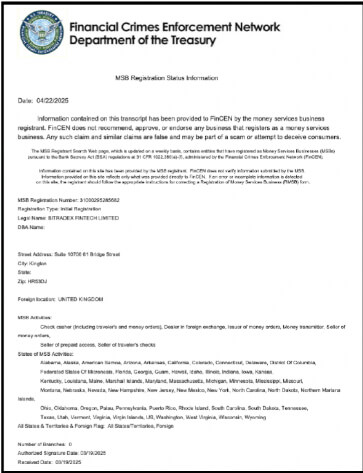
FinCEN is a prestigious government agency tasked with monitoring financial crimes, such as money laundering, on a global scale.
Being registered with FinCEN serves as concrete evidence that the platform complies with strict international financial regulations.
This official oversight forms the bedrock of trust for the entire platform.
Even if you are a complete beginner with no prior crypto experience, you can use the BitradeX credit card purchase function knowing it has passed rigorous legal scrutiny.
Robust Security Measures and Two-Factor Authentication to Protect Your Assets
Trustworthiness is built on more than just legal licenses; it is also sustained by daily technical safeguards.
BitradeX strongly encourages the use of Two-Factor Authentication (2FA) to provide an ironclad defense against unauthorized third-party access.
2FA is a security system that requires a unique, one-time verification code from a mobile app in addition to your standard password.
Furthermore, the majority of user assets are stored in "Cold Wallets," which are highly secure environments completely isolated from the internet.
This physical separation minimizes the risk of fund leakage, even in the unlikely event of a sophisticated network attack.
Because these advanced security protocols are in place, users can focus entirely on maximizing their returns through the AiBot with complete confidence.
Complete Step-by-Step Guide to Buying Crypto with a Credit Card on BitradeX
To quickly start managing your assets on BitradeX, using a credit card directly through the app is the most convenient method.
This guide provides the specific steps to prepare USDT (Tether) using just your smartphone, skipping the hassle of transferring through external exchanges.
Please note that the app design and specific procedures are subject to change with future updates.
Selecting the Third-Party Purchase Feature from the App Home Screen
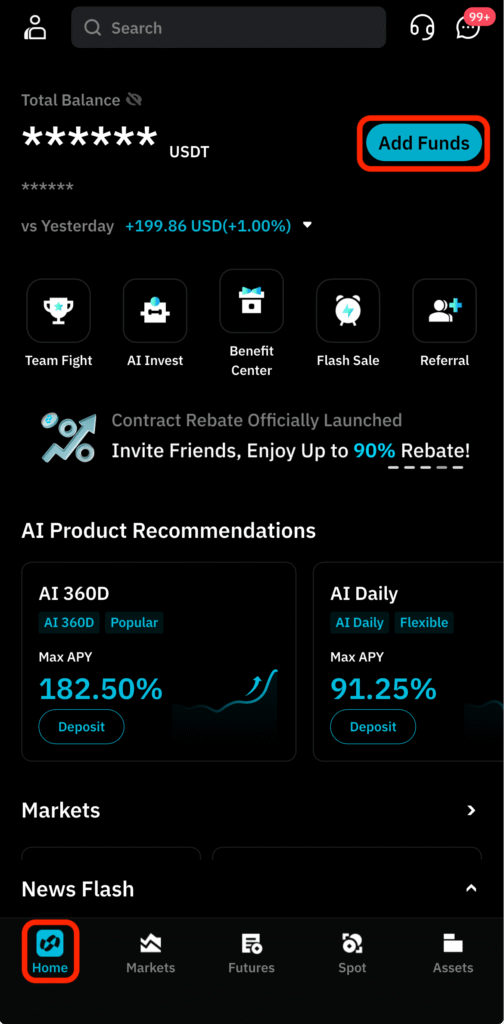
First, launch the BitradeX app and tap the "Add Funds" button located at the top right of the home screen.
From the deposit options that appear, select "Buy crypto via third-party."
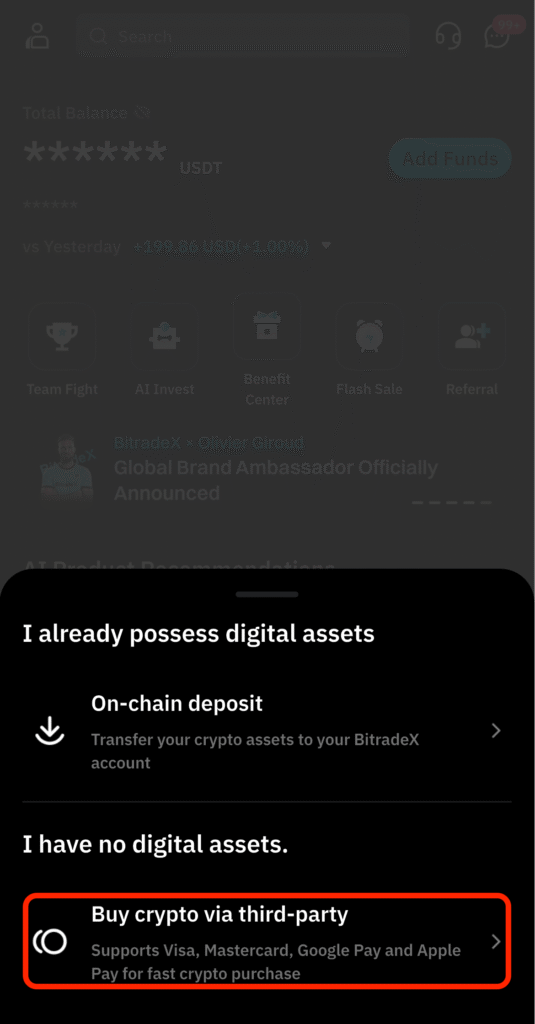
Be careful not to select "On-chain deposit" at this stage.
On-chain deposits are for transferring funds from external wallets and are different from our goal of "Direct Credit Card Purchase."
Once you select the third-party option, you will be taken to the currency setting screen.
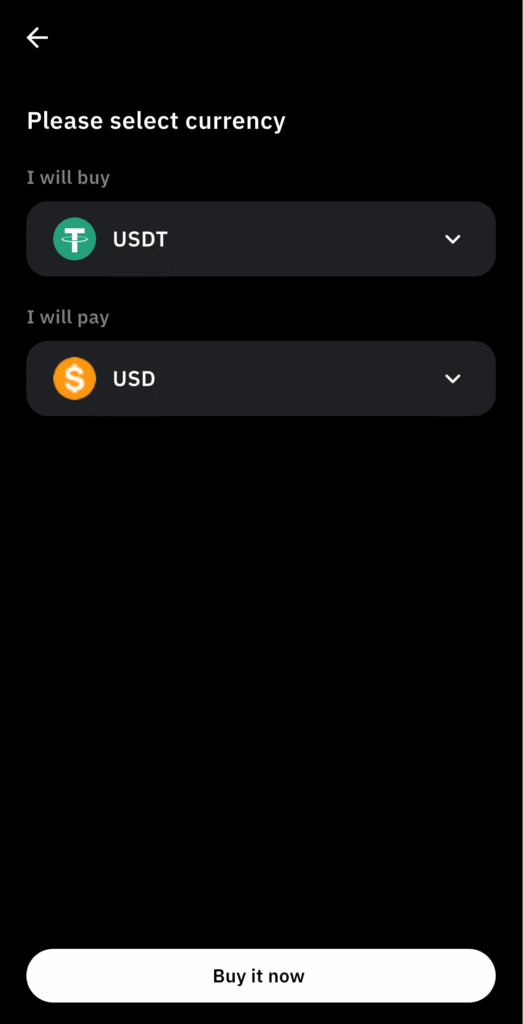
Set the coin you want to buy to "USDT" and the payment currency to "USD" (or your local currency).
Tap "Buy Now" to proceed to the next step.
Comparing and Selecting the Best Payment Provider for Your Budget
Once you enter the amount you wish to spend, a list of available payment providers (intermediaries) will be displayed.
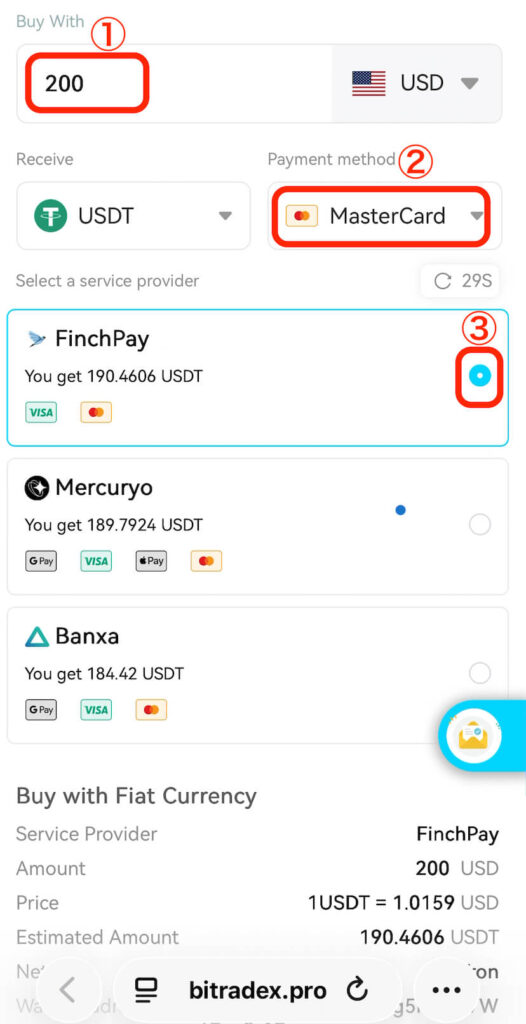
Follow the steps in the order shown in the interface:
- Enter the amount.
- Select your credit card brand (Visa, Mastercard, etc.).
- Choose a payment provider.
BitradeX partners with multiple providers, and the amount of USDT you receive may vary even for the same payment amount.
Here are the main features of the primary providers:
FinchPay: Often offers the best exchange rates but frequently requires specific ID like a My Number card.
Mercuryo: A globally recognized provider known for stable and reliable payments.
Banxa: A highly trusted, Australia-based provider offering fast and secure exchanges between fiat and crypto.
Unlimit: Known for a relatively high approval rate and support for passport-based identity verification.
The secret to minimizing costs is to select the provider that offers the highest amount of USDT.
This time, we'll choose FinchPay, which offers the most USDT.
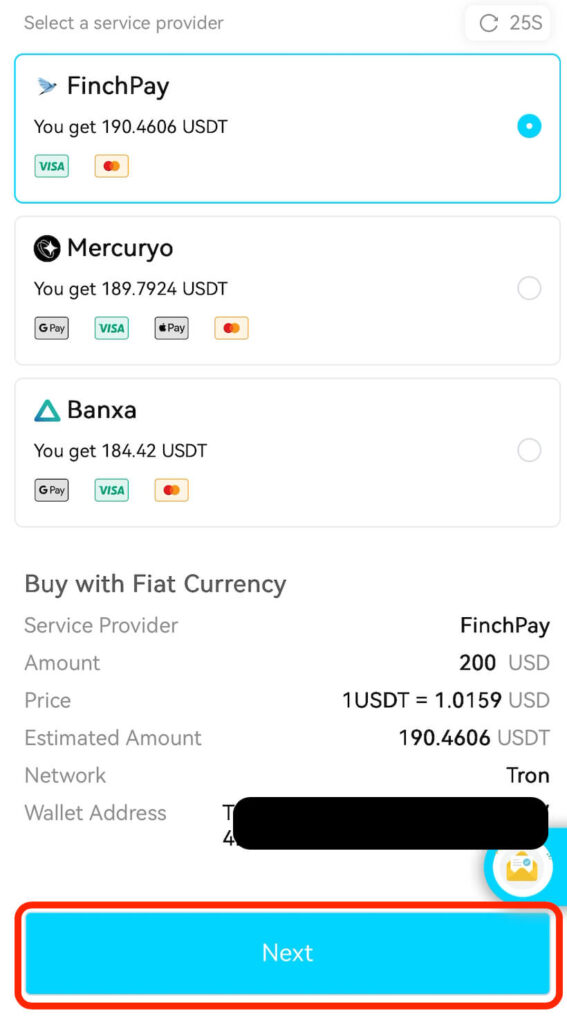
After entering and selecting items ①, ②, and ③ above, scroll down on the same screen and tap "NEXT".
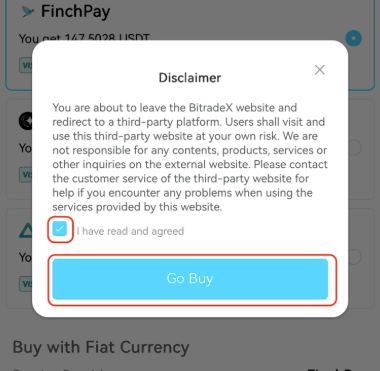
A disclaimer will appear stating that you are moving to an external third-party site.
If you are comfortable proceeding to the FinchPay site, check the box and tap "Go Buy."
Completing the Transaction on the Payment Provider's Page
If you chose FinchPay, you will be directed to a screen like the one shown.
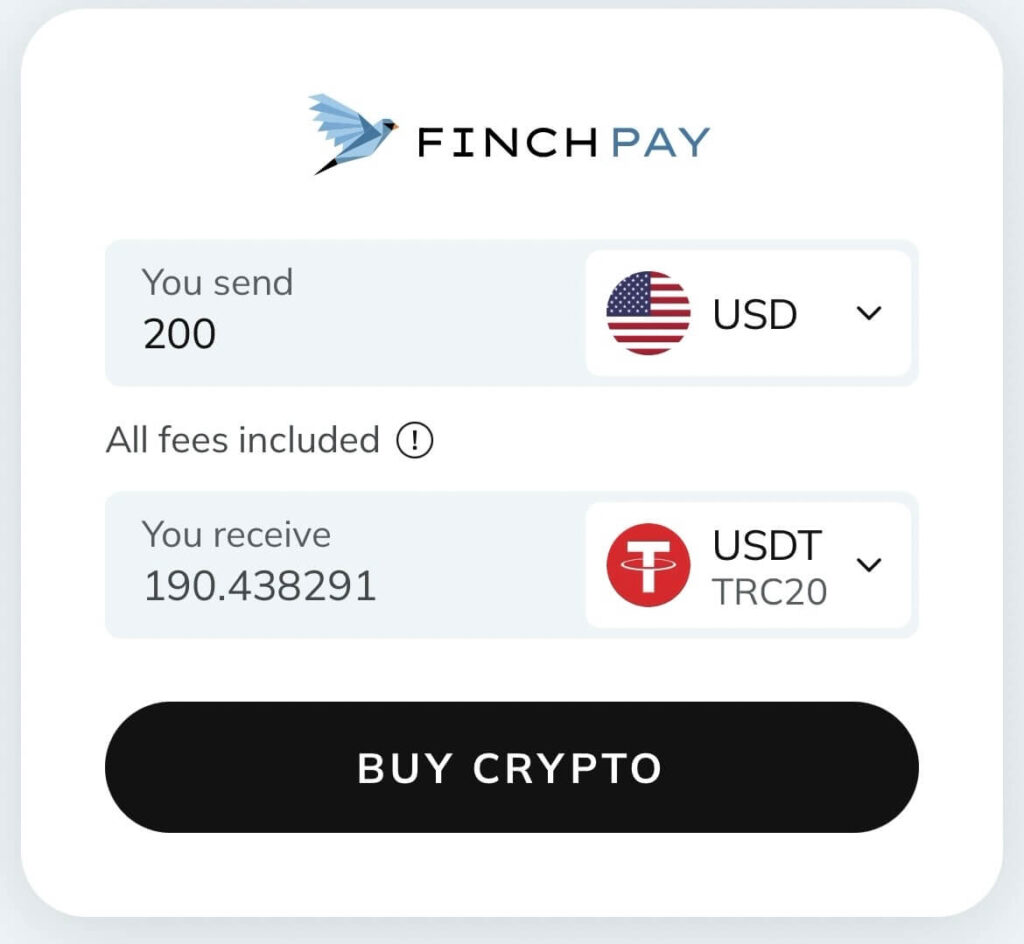
Tap "BUY CRYPTO." A payment selection/confirmation screen will appear.
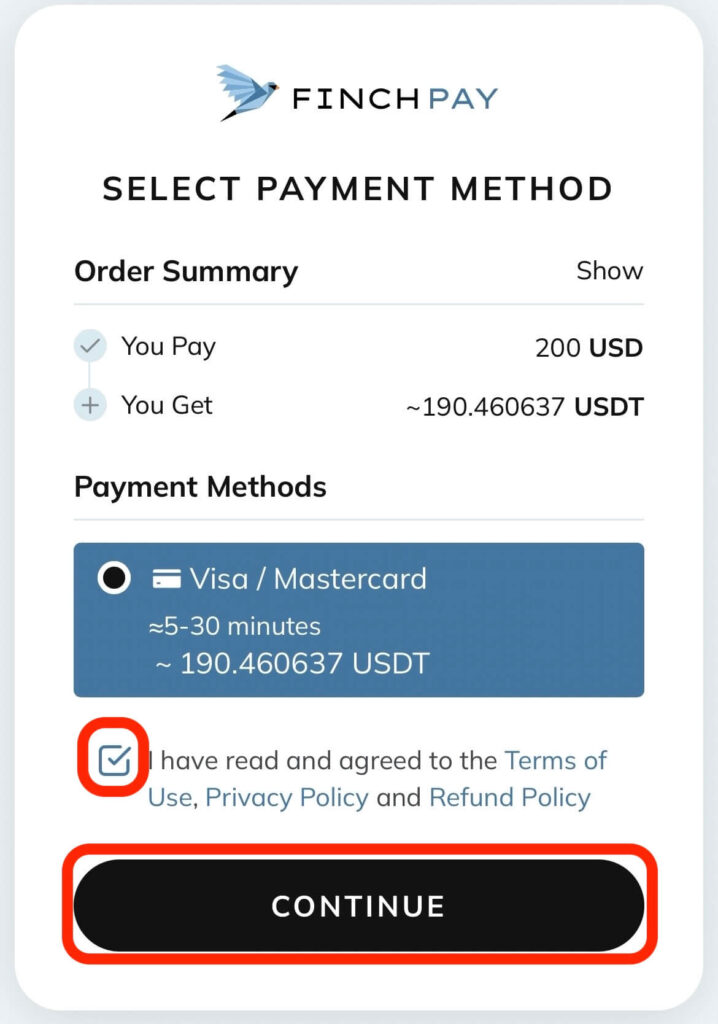
If everything looks correct, check the required boxes and tap "CONTINUE."
Next, enter your email address and tap "Send Code."
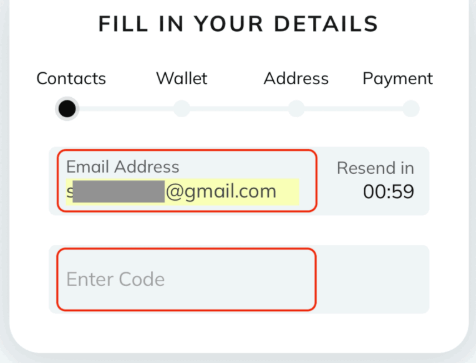
Check your email for a verification code and enter it in the "Enter Code" field.
The next step is phone number verification. Enter your number starting with the country code (e.g., "+81" for Japan, followed by your number without the leading zero).
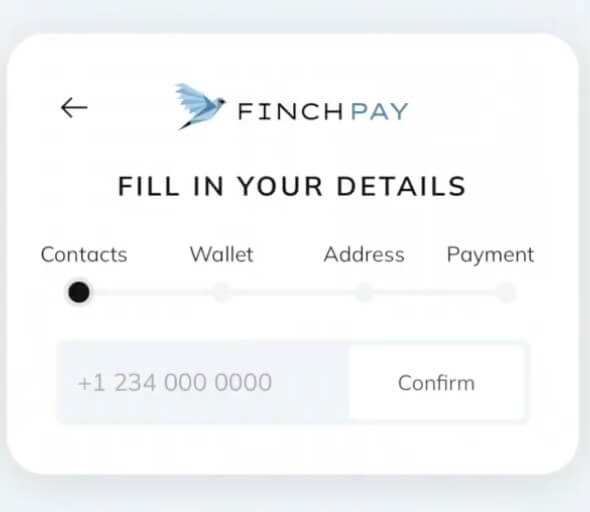
Tap "Confirm." Your deposit address will then be displayed.
As long as you followed the steps from the BitradeX app, this will automatically be your BitradeX USDT deposit address.
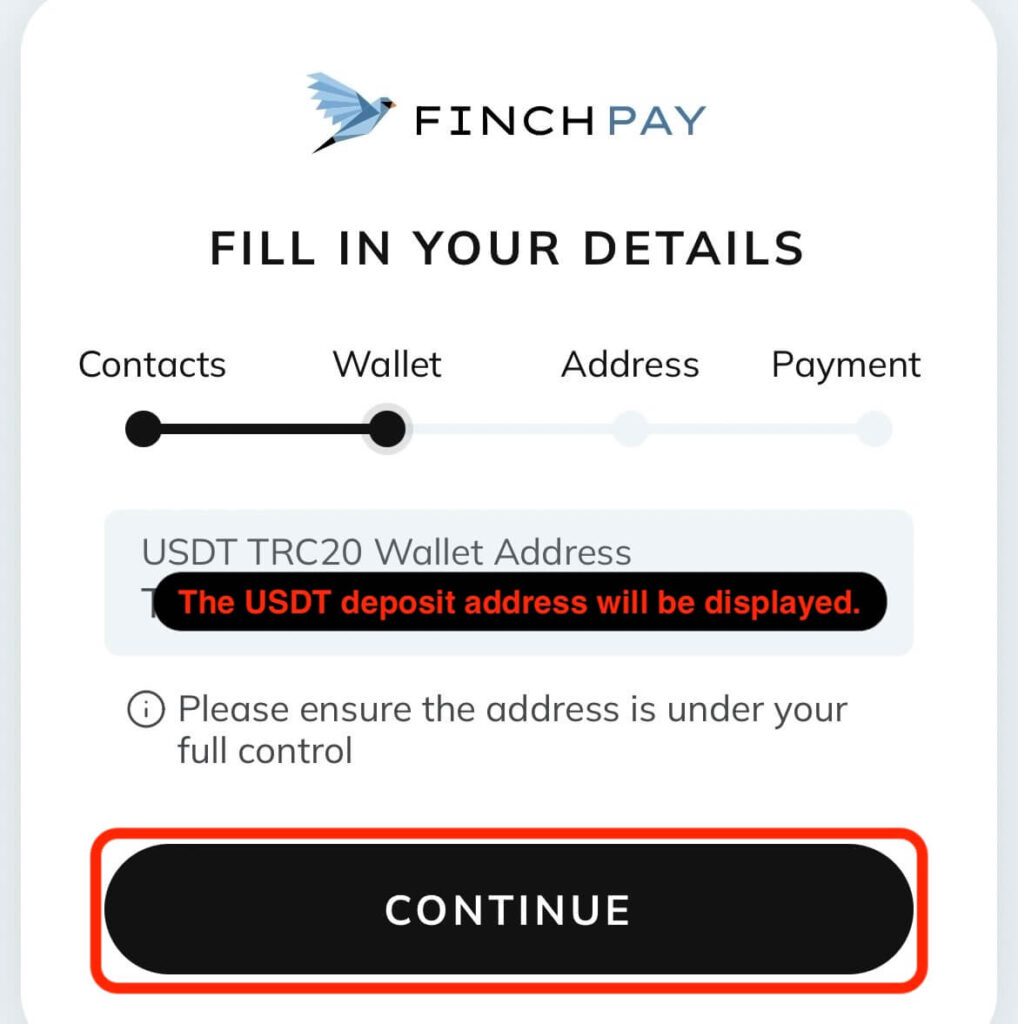
Tap "CONTINUE."
Entering Your Name and Address
Enter your personal information in English. If you are unsure how to format your address in English, you can use online address conversion tools for assistance.
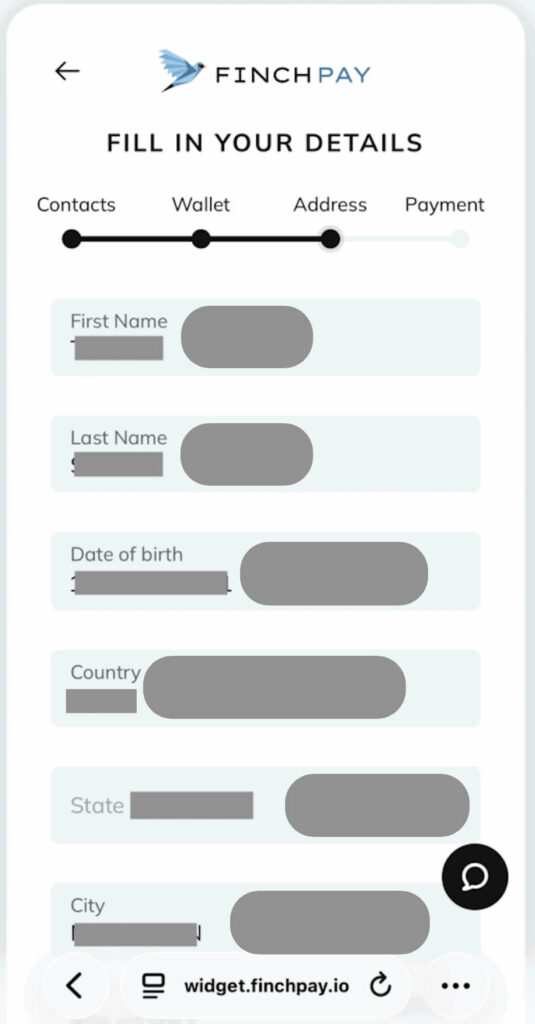
Scroll down to fill in the remaining fields. Tap "CONTINUE."
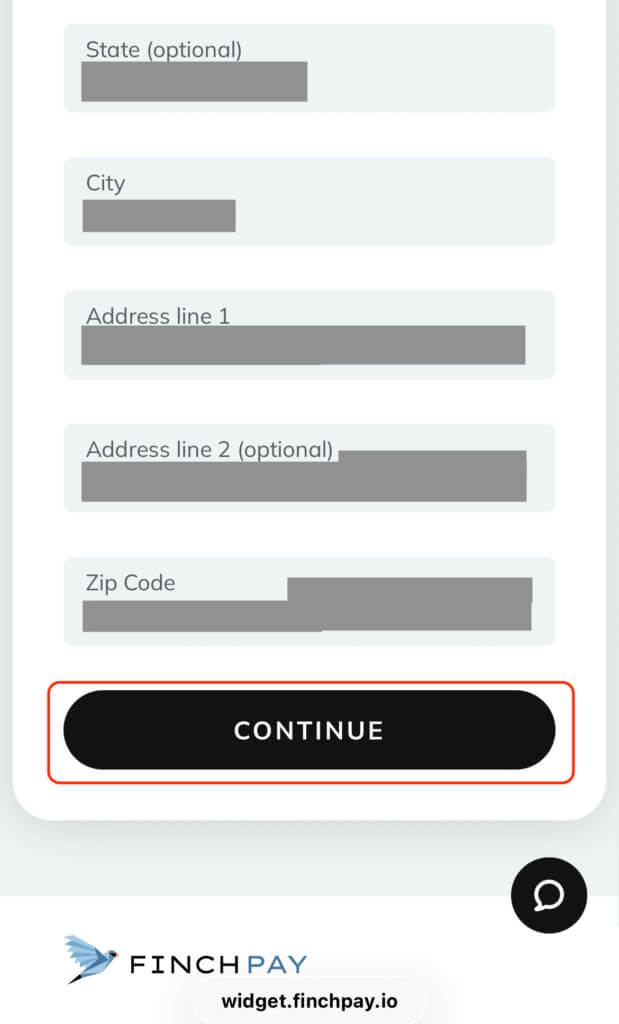
You will move to the payment info confirmation screen.
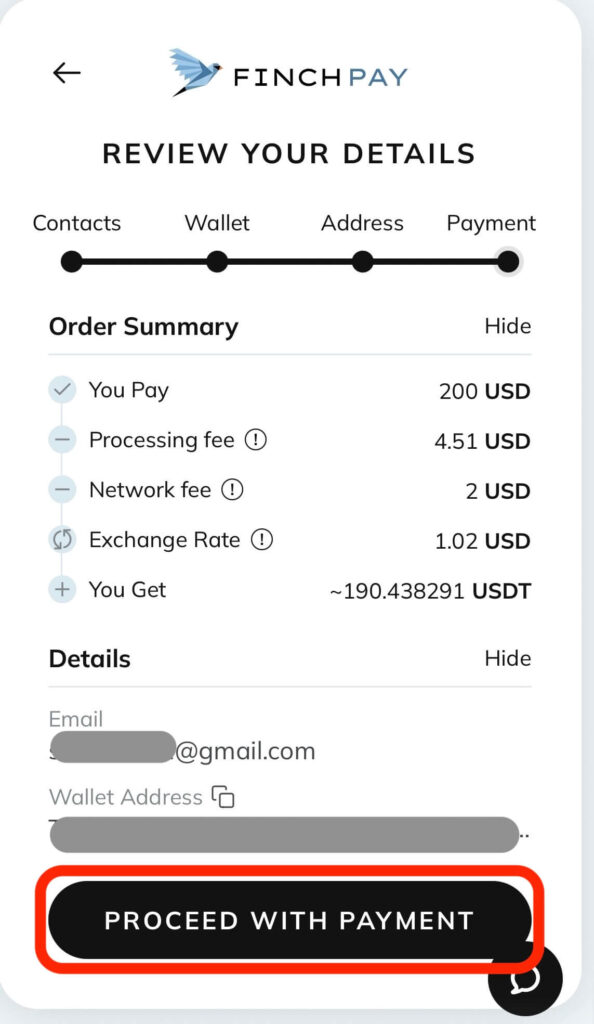
Tap "PROCEED WITH PAYMENT."
A message saying "Redirecting to payment page" will appear for a few seconds; please wait.
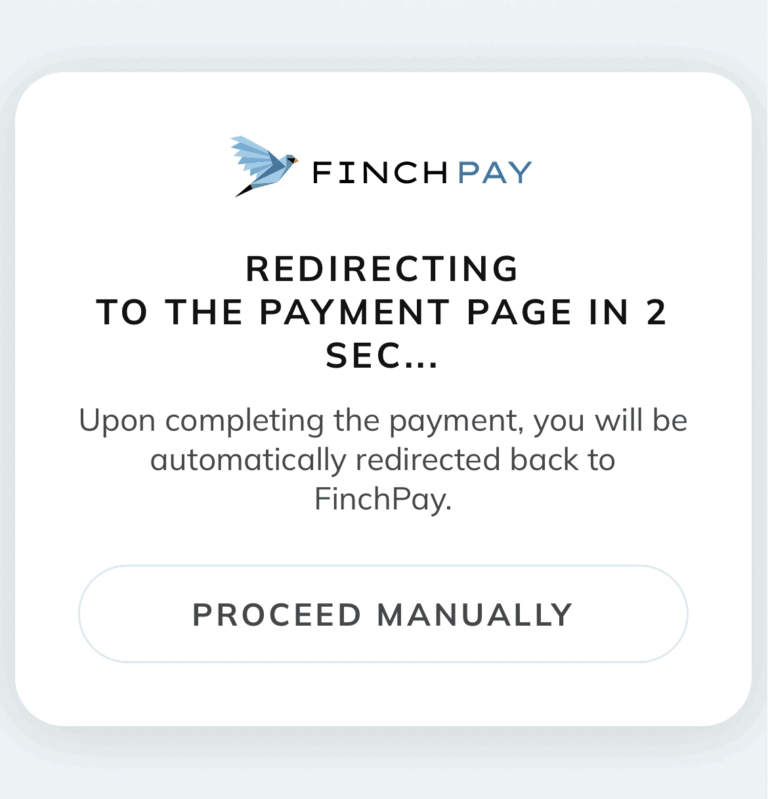
Entering Credit Card Details
After a few seconds, the credit card input screen will appear.
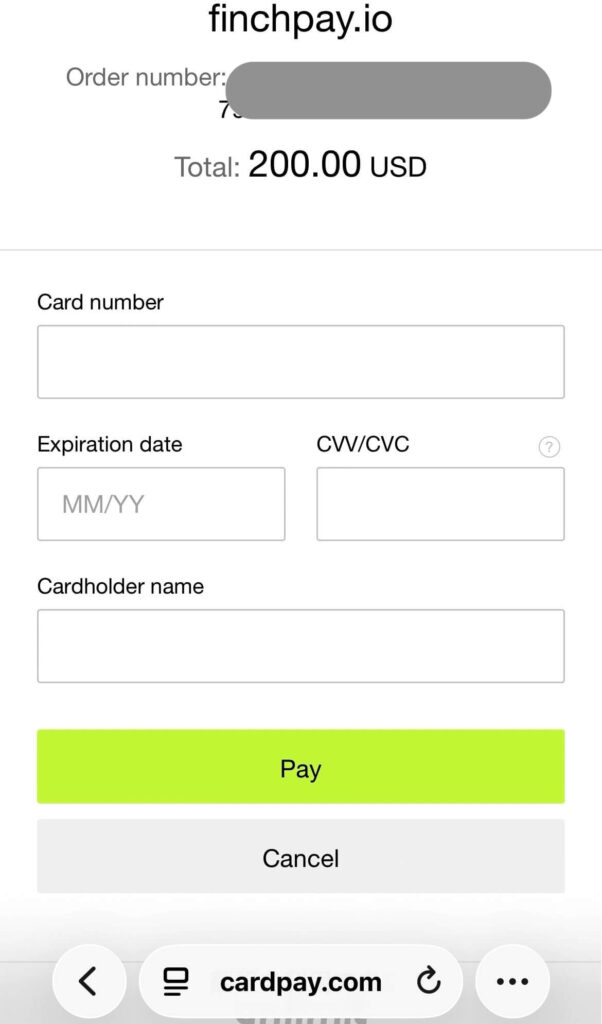
Enter your card details and tap "Pay."
In some cases, you might be asked if you want to download a file; you can simply close this window (or click "X") to proceed.
Next, your credit card issuer’s security page will likely appear.
You will be asked for a One-Time Password (OTP).
This code is usually sent via SMS to the phone number registered with your card company.
Enter the code and tap "Confirm."
If you encounter an error or cannot proceed here, consider trying a different provider or contacting your card issuer to authorize the transaction.
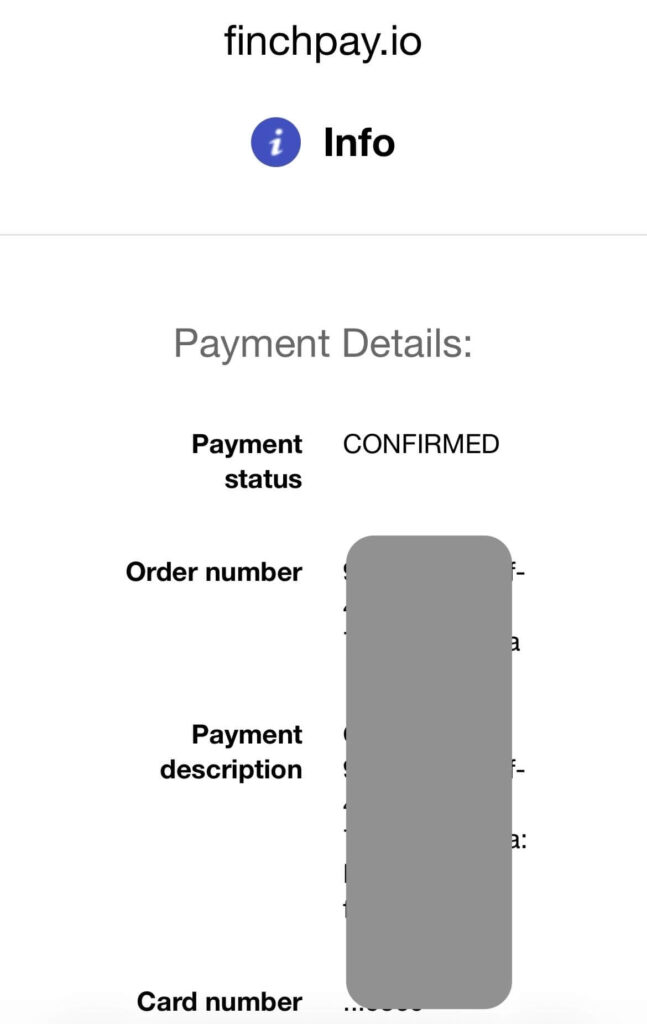
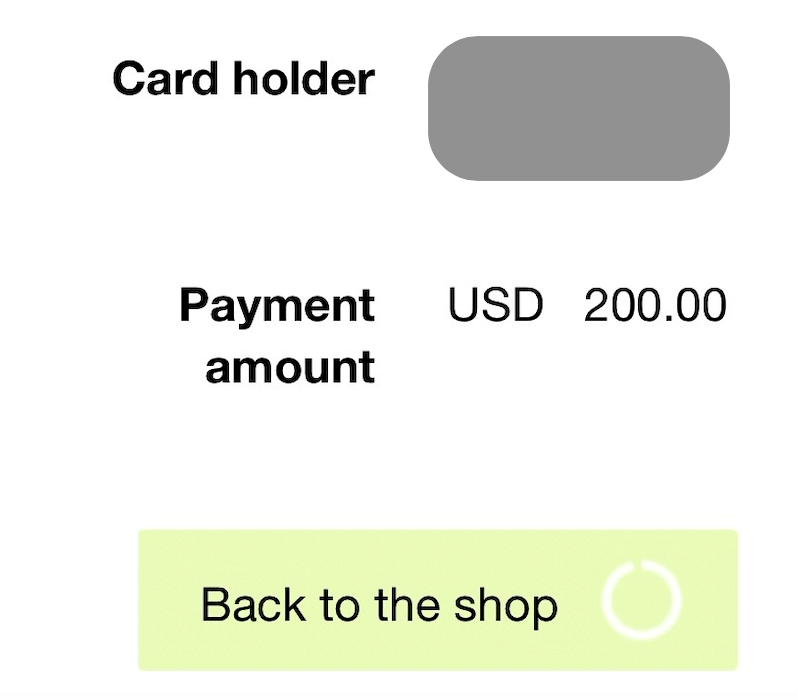
Once the payment details are shown, tap "Back to the shop" to return to the provider's screen.
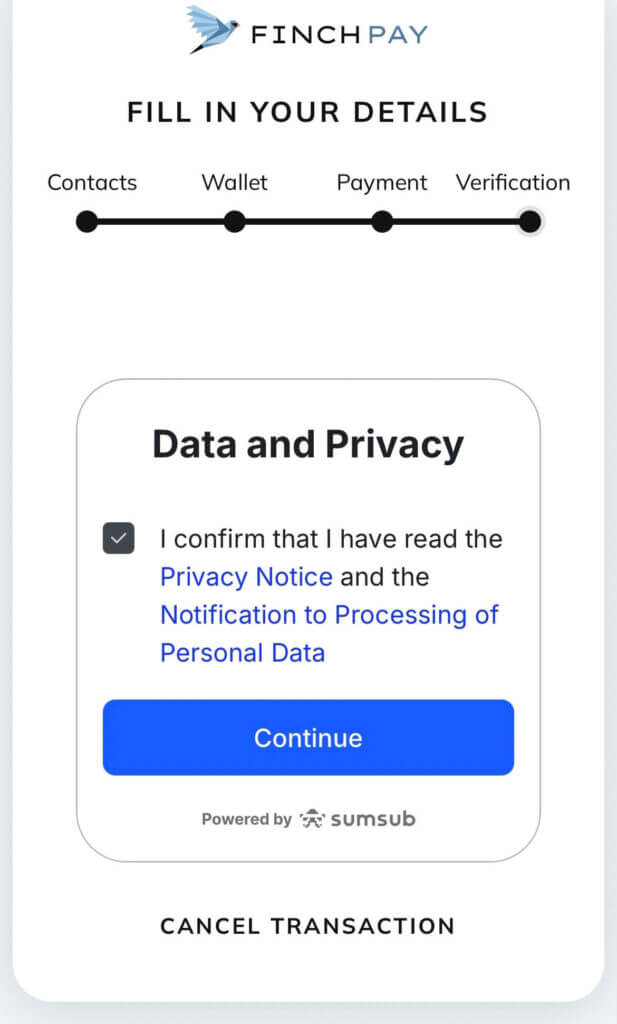
You will then see a data processing consent screen (from Sumsub, the KYC service provider).
Check the box and tap "Continue" to start the identity verification process.
KYC Verification: Preparing and Submitting Required Documents
When using a provider for the first time, Identity Verification (KYC) is mandatory to comply with Anti-Money Laundering (AML) regulations.
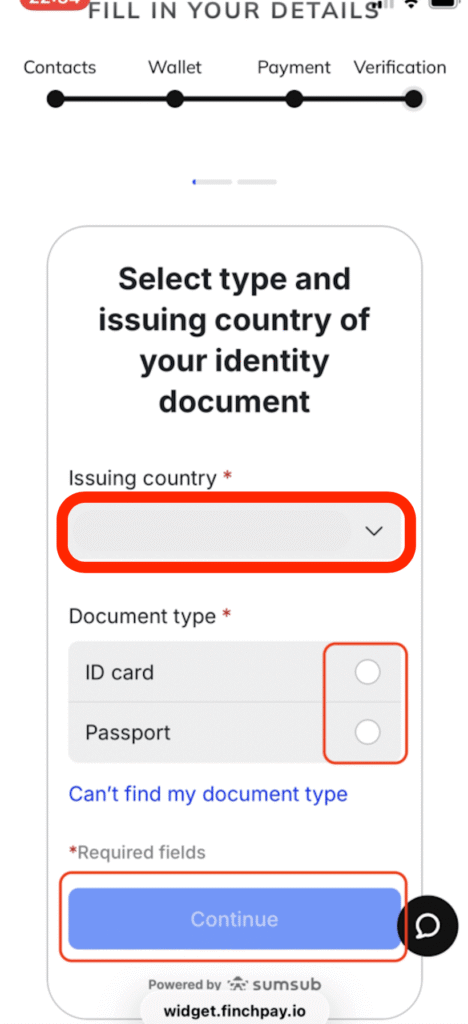
To ensure a smooth process, have your ID (Passport or My Number card) ready.
Select either "ID card" or "Passport" and tap "Continue."
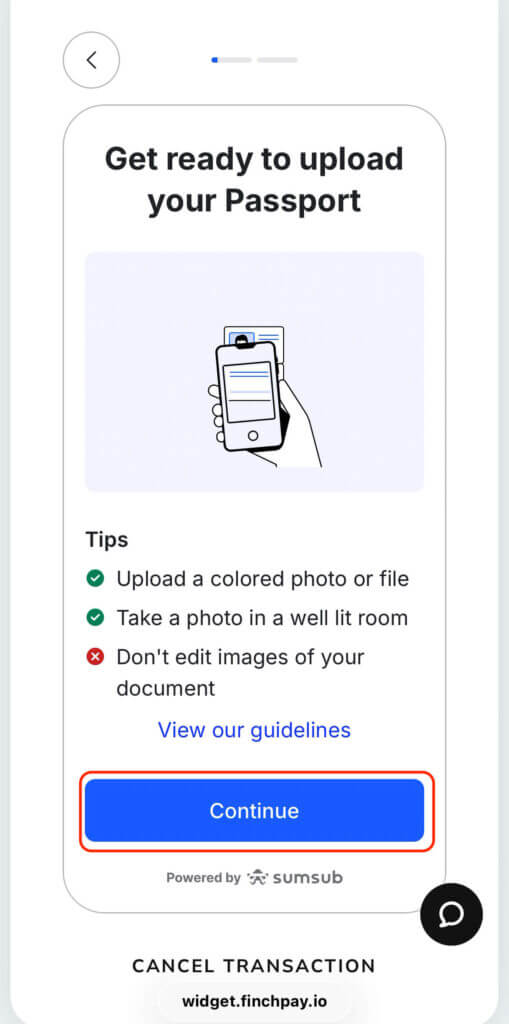
A prompt will appear before you upload your document; tap "Continue." If asked for camera access, select "Allow."
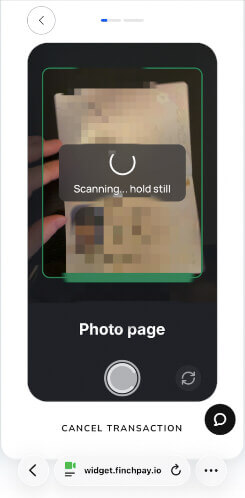
Scan your ID document clearly within the on-screen frame.
Next, you will be prompted to take a face scan.
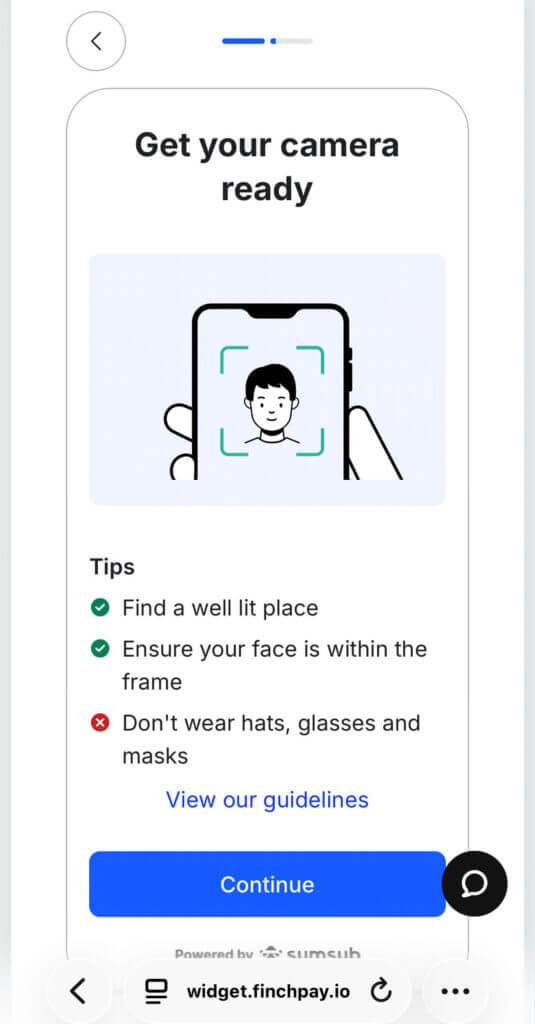
Tap "Continue" and position your face in the center of the screen.
Follow the instructions to move your head (usually in a circular motion) to prove you are a real person.
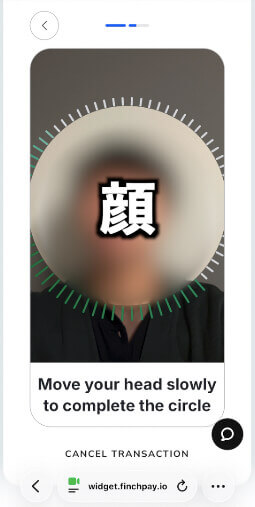
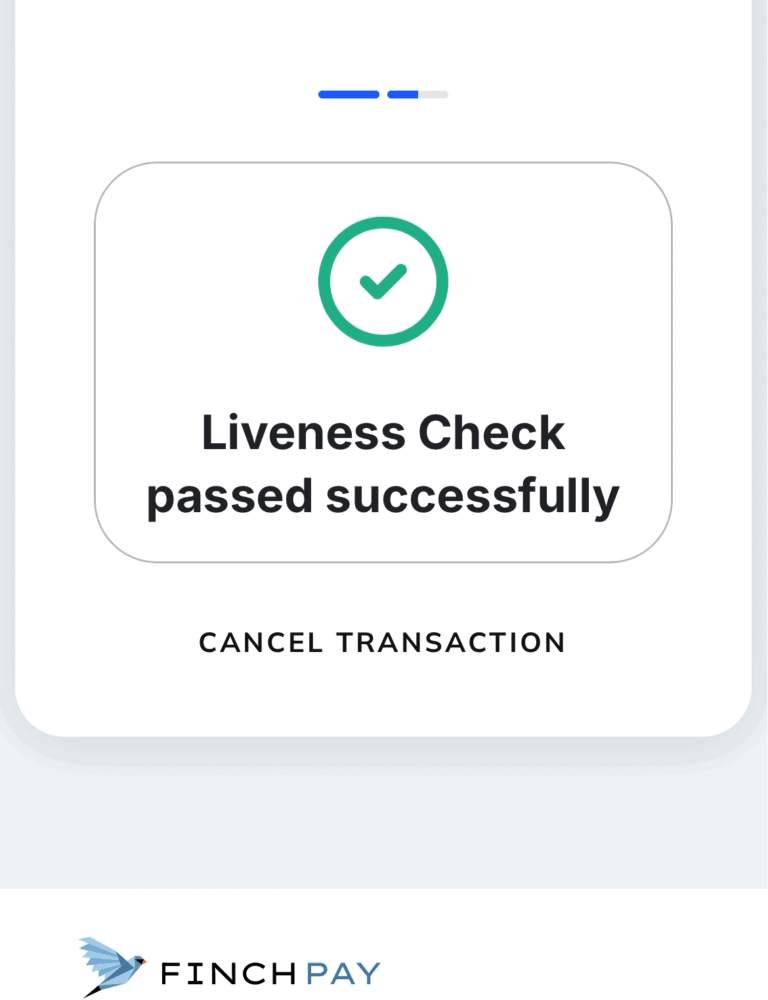
Once successful, a message will state that the document verification will take a few minutes.
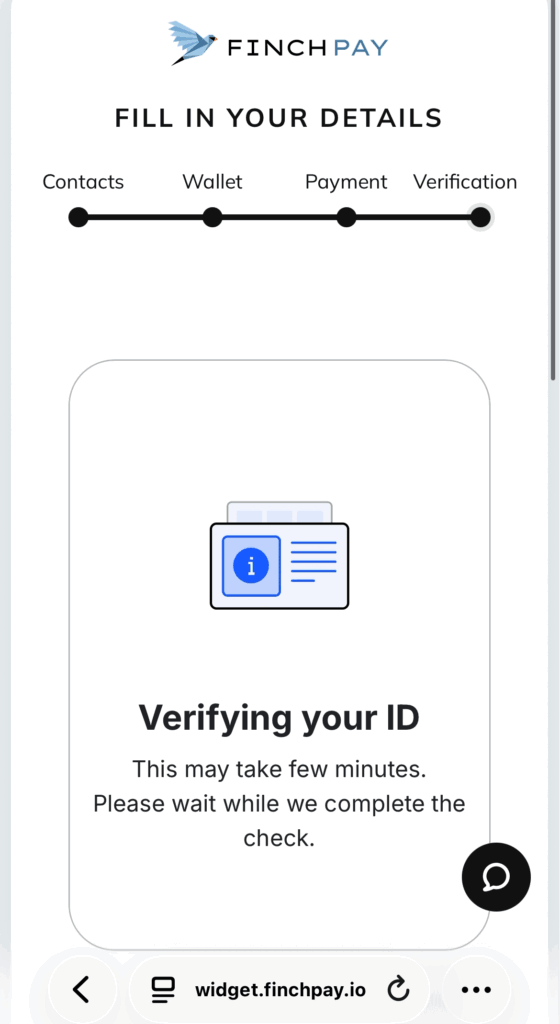
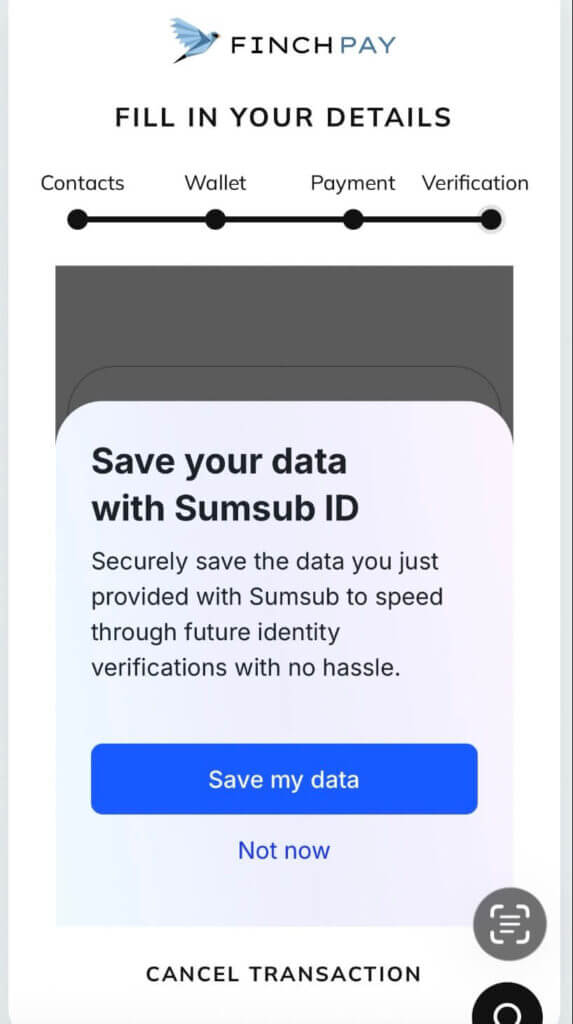
You may be asked if you want to save your data for future use; selecting "Yes" can speed up future purchases.
The screen will then display "Sending" as the payment processes.
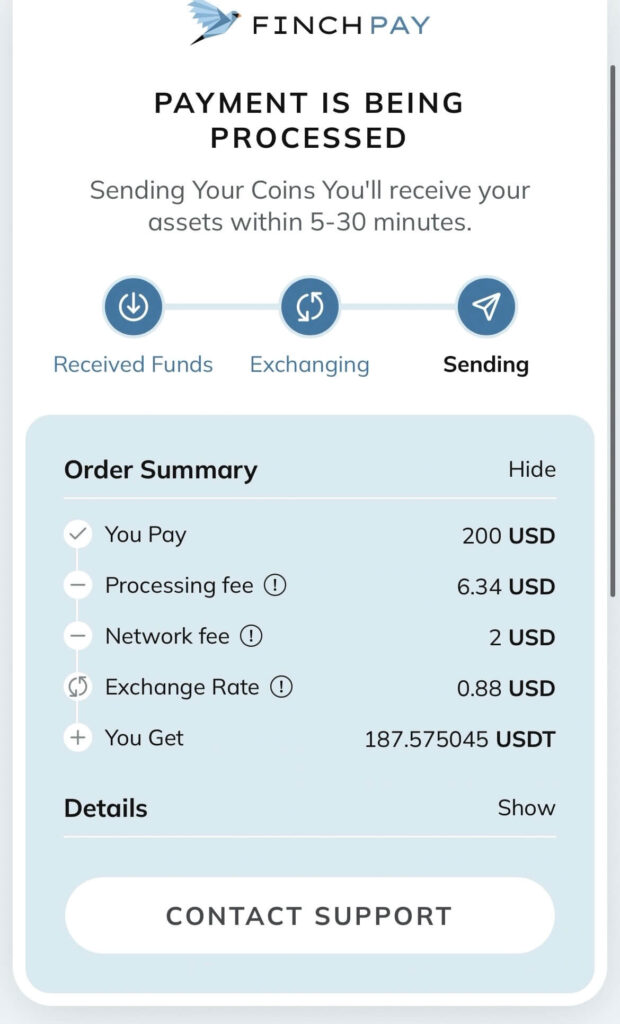
When the "Sending" status is highlighted, your part of the procedure is complete.
Checking Your Purchase History in the BitradeX App
Return to the BitradeX app and navigate to "Assets" -> "Spot."
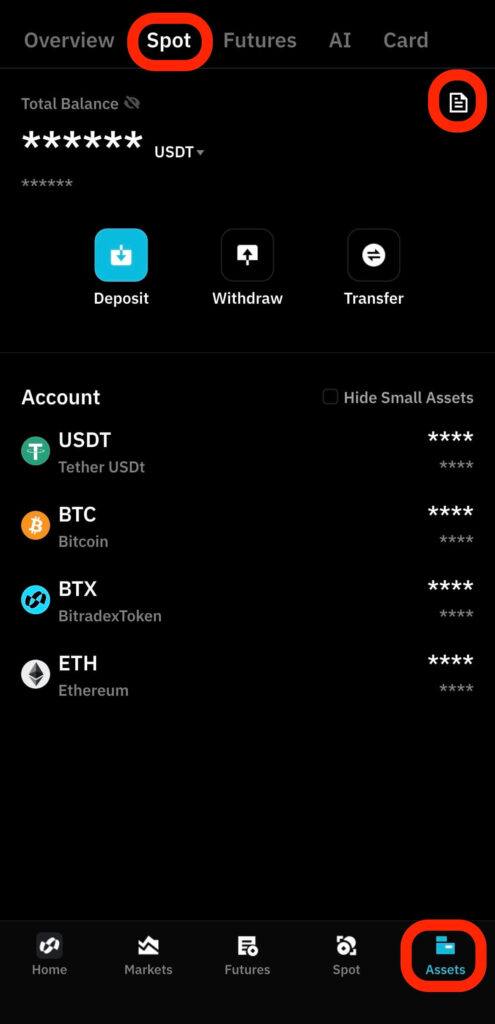
Tap the document icon in the top right corner.
In the "Funding Records" screen, tap the "Coin Purchase History" tab to check the status of your USDT.
Immediately after the transaction, it will show as "Processing."
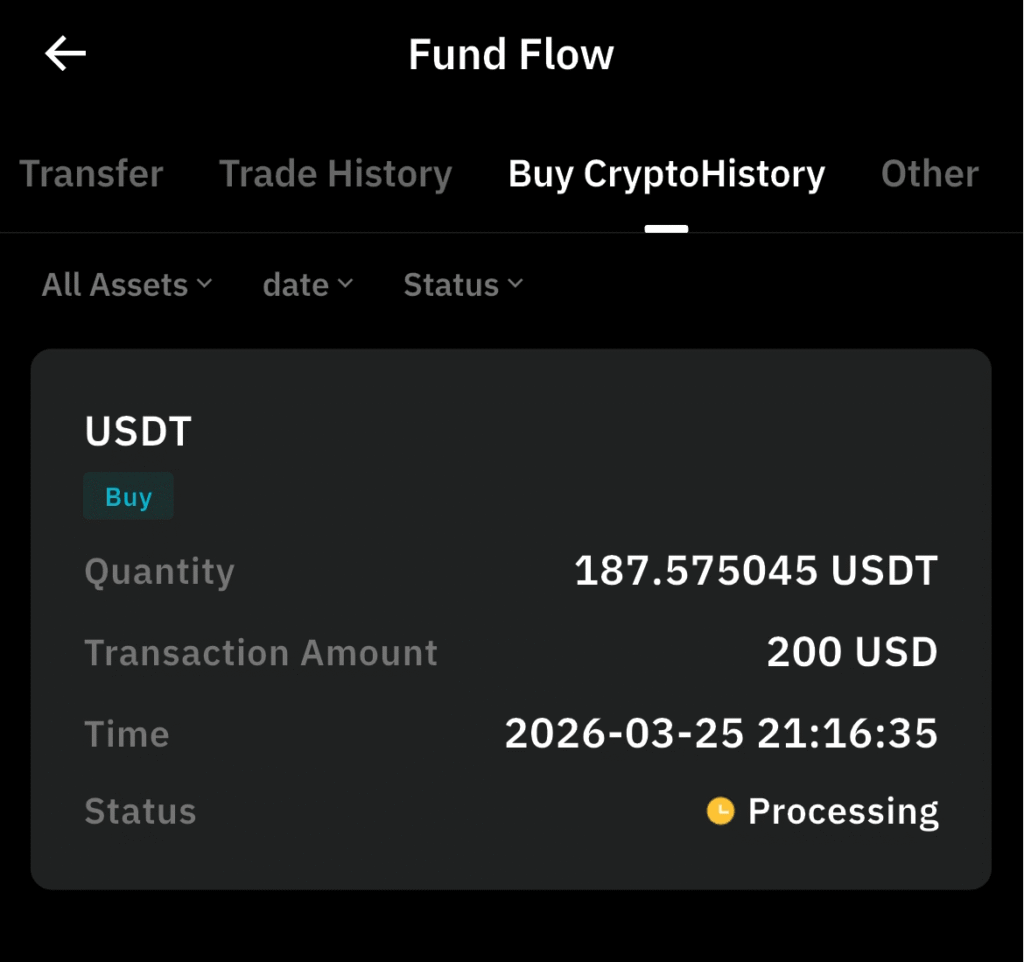
Within about a minute, you should receive a push notification on your smartphone.
If you check the history again, the status should change to "Completed," and the balance will reflect in your account.
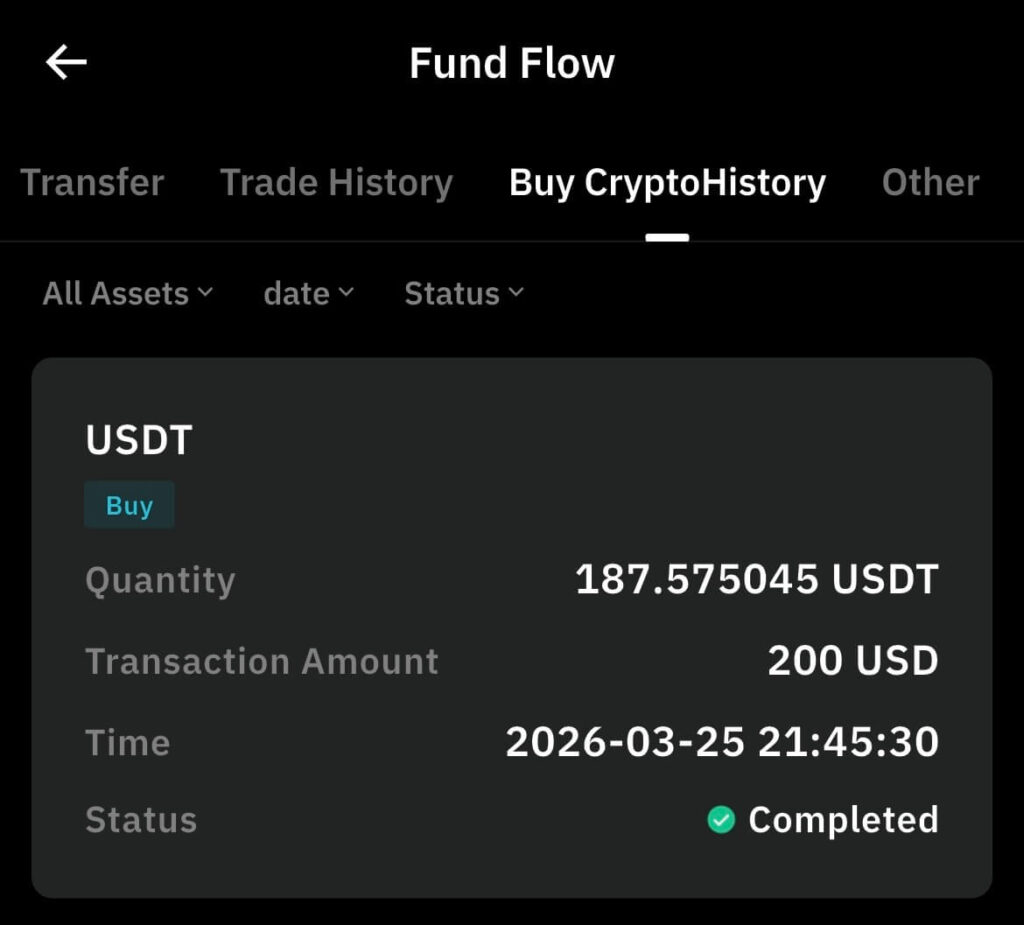
That's it! You have successfully purchased cryptocurrency on BitradeX using your credit card.
Troubleshooting Credit Card Crypto Purchases: Success Tips and Error Fixes
While the steps above generally work for buying crypto on BitradeX, some credit card issuers may flag, hold, or cancel the transaction.
Depending on your specific bank or card type, you might encounter unexpected payment errors during the process.
To help you navigate this, here are some tips on which cards pass screening more easily and how to handle errors effectively.
Debit Card Advantages and Brand-Specific Success Stories
If your credit card payment is declined, consider trying a debit card instead.
Since debit cards deduct funds directly from your bank account, the internal screening process is often more lenient, leading to higher approval rates.
Many traditional credit card issuers maintain strict policies regarding cryptocurrency purchases on international platforms.
Even if you use major brands like Visa or Mastercard, success rates can vary significantly depending on whether the issuer is a bank-affiliated or a retail-affiliated entity.
It is often a wise decision to have multiple cards ready and try a few different options if the first one fails to go through.
Switching Providers When Facing Repeated Payment Errors
If you experience repeated errors with a specific payment provider, do not hesitate to switch to an alternative one immediately.
It is a common occurrence for a transaction to be rejected by FinchPay but proceed smoothly when using Unlimit.
Most of these issues stem from compatibility between the specific provider and your card issuer, or perhaps temporary system-wide restrictions.
In many cases, simply changing the provider solves the problem without any further adjustments.
Remaining flexible and trying different payment routes is the fastest way to start your "right now" asset management without missing out on market opportunities.
How to Start Earning Fast with AiBot Using Your Credit Card-Purchased USDT
Once you have successfully secured your USDT using a credit card, you are ready for the most important phase: growing your wealth.
One of BitradeX’s standout features is the ability to seamlessly transition your newly acquired assets into "AiBot," a sophisticated AI-driven automated trading system.
By minimizing the delay between your deposit and the start of operations, you can capture market opportunities without wasting a single second.
This streamlined process is designed to help you aim for efficient capital growth as quickly as possible.
The Workflow for Instantly Allocating Your Deposited USDT to AiBot Trading
As soon as your credit card purchase is complete and the USDT reflects in your BitradeX wallet, you should put it to work immediately.
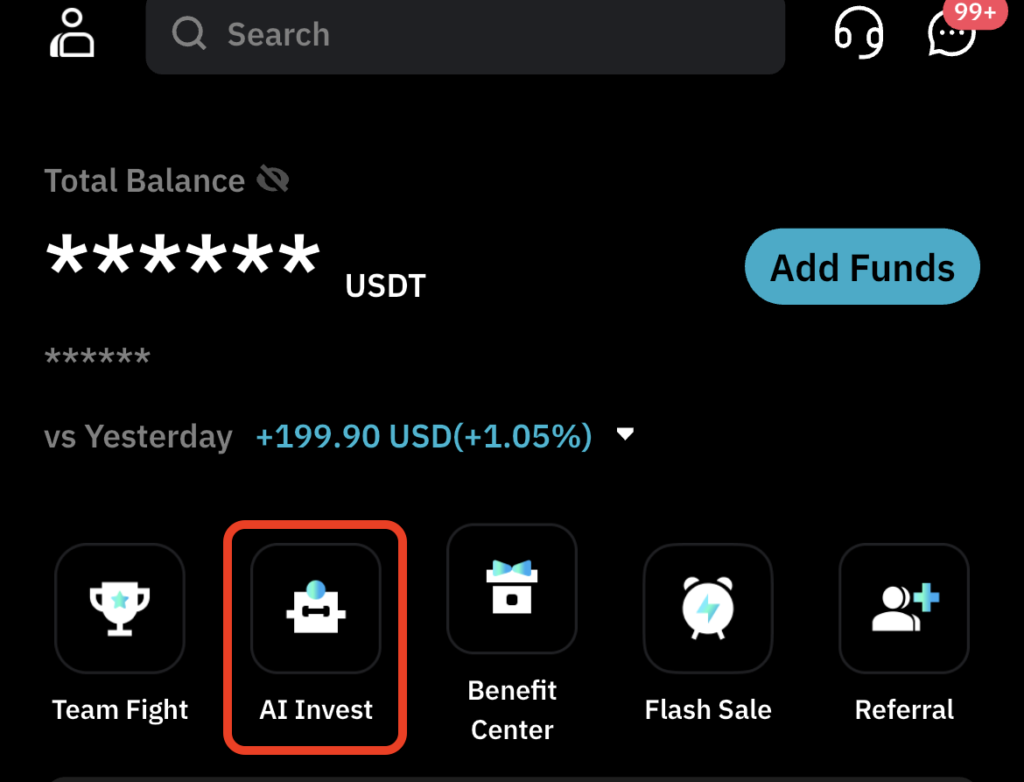
Within the BitradeX app, simply tap on the "AI Invest" section to begin the process.
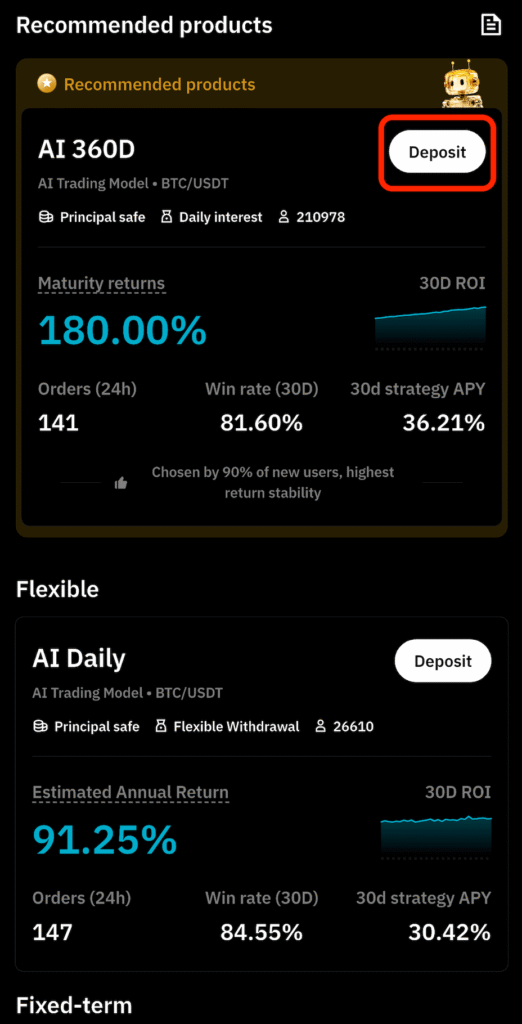
From there, select the "Deposit" option for the specific investment plan you wish to utilize.
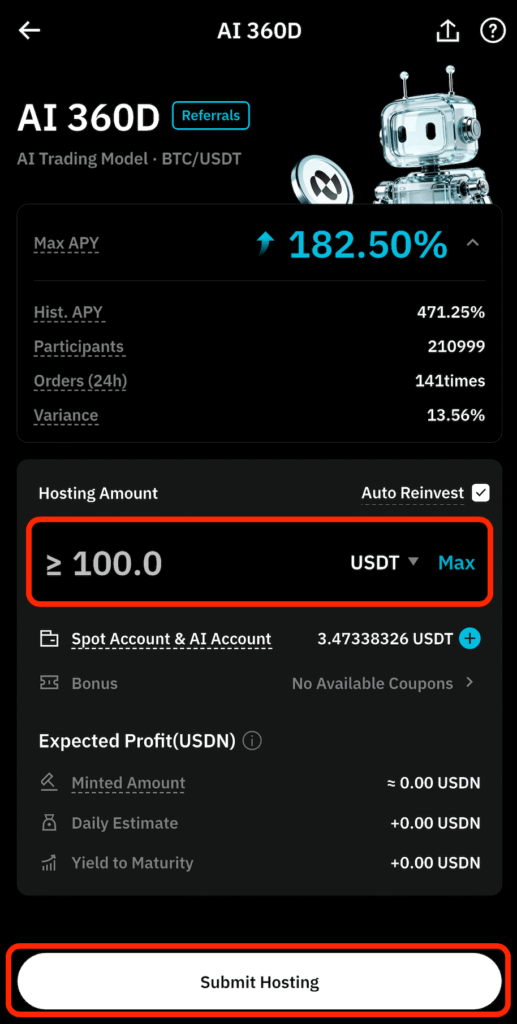
Finally, enter the amount of USDT you want to allocate for trading and tap "Submit Hosting" to finalize the setup.
With these few simple steps, your automated asset management journey is officially underway.
For detailed instructions on configuring AiBot, please refer to the article linked below.
BitradeX AiBot: Step-by-Step Setup & AI Logic Explained. Is 180% APY Actually Possible?
Disclaimer: This website and its content are for informational and educational purposes only and do not constitute investment advice. Important Information, Ri…
 Cryptocurrency Info
Conclusion: Summary of BitradeX Credit Card Deposits
For beginners who prioritize speed, using the credit card purchase feature on BitradeX is the most efficient way to start asset management.
Instead of missing out on market opportunities while waiting days for bank transfers or external wallet movements, you can prepare USDT instantly with just your smartphone.
The convenience of this method is a major advantage for any modern investor.
Let’s take a final look at the key points covered in this guide.
Unmatched Speed
The entire process from payment to receipt can be completed in as little as five minutes, allowing you to start AiBot operations immediately.
Trusted Licensing
BitradeX is a reliable platform registered as an MSB with the U.S. FinCEN, ensuring legal compliance and high-level security.
Flexible Payment Options
You can compare multiple providers to find the best rates, and if a credit card is declined, using a debit card is a highly effective alternative.
Optimized Investment Efficiency
While you can start with 100 USDT, it is recommended to purchase at least 20,000 JPY (or equivalent) to maintain cost-effectiveness against transaction fees.
In the world of cryptocurrency, your ability to take action quickly often matters more than deep technical knowledge.
With credit card deposits, you don't have to let complicated transfer procedures hold you back. Start by trying a small credit card purchase on BitradeX today and experience the ease of AI-driven automated management for yourself.
Taking this first step now can lead to significant wealth building in the future.
If you want to open an account that supports AiBot, you can register using the link below.
Invitation Code: G3CE71
Note: To use the BitradeX AiBot, you must register through an invitation link (like the button above). Please be aware that standard registration links do not provide access to the AiBot feature.
\ Get the latest news /

Great content! Keep up the good work!